MyDigiBundles Product

Word AI Vault v1.0

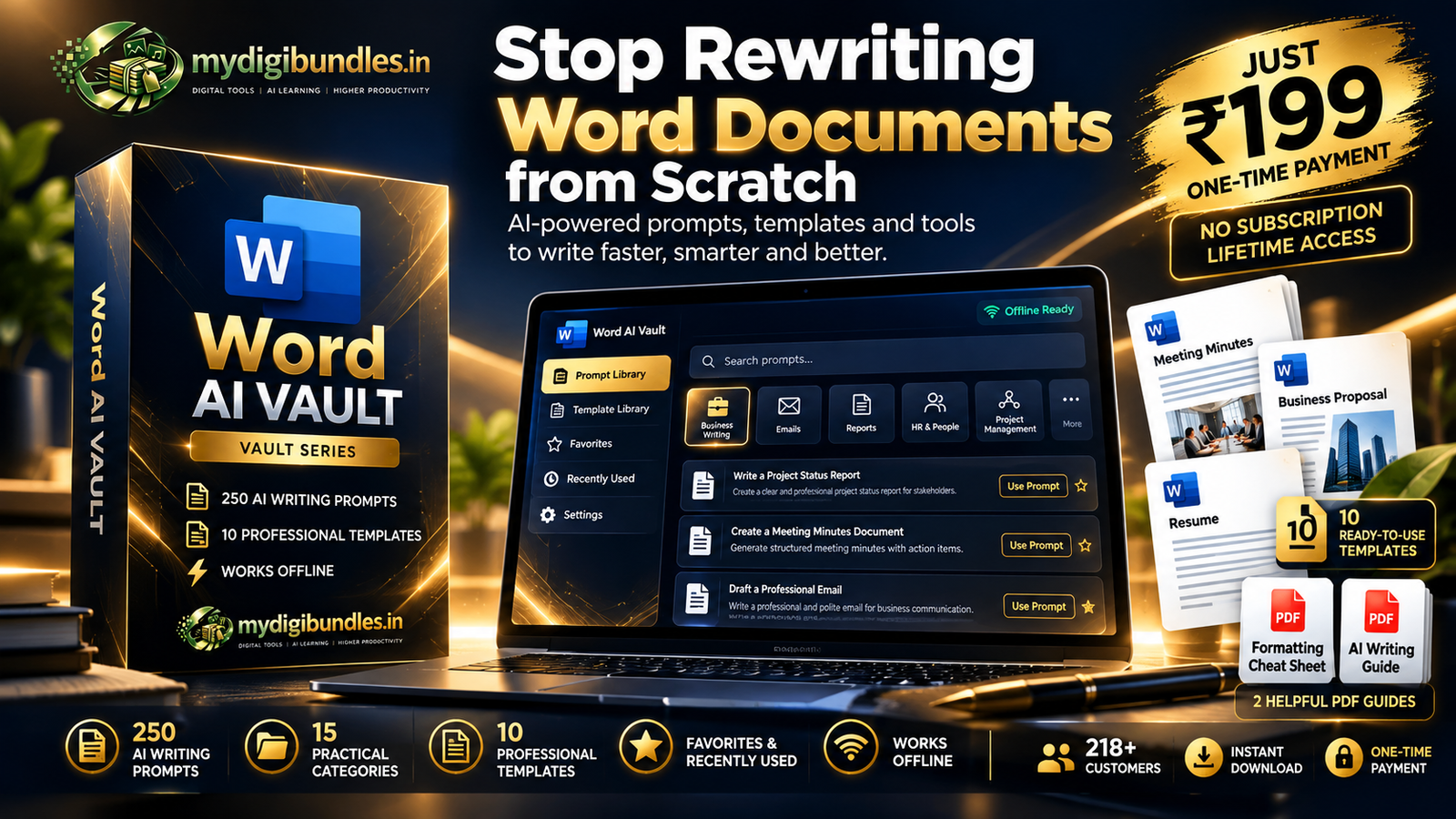
250+ AI Prompts & Templates for Faster Word Work

Create professional emails, reports, meeting notes, proposals, HR documents and more with ready-to-use AI prompts and editable Word templates.
₹199 One-Time Payment
One-Time Payment Works with ChatGPT, Claude & Gemini Instant Digital Download
Word AI Vault v1.0 — 250+ Word Prompts & Templates
One-Time Payment Instant Digital Download Works with ChatGPT, Claude & Gemini Secure Checkout
What's Inside

Everything You Need to Work Smarter in Word

  • 250+ ready-to-use AI prompts
  • 15 practical categories
  • 10 editable Word templates
  • Favorites & Recently Used
  • Prompt Workspace
  • Prompt of the Day
  • Template Library
  • Supporting PDF resources
  • Offline access
  • No subscription
Get Word AI Vault — ₹199
Prompt Categories

15 Categories Covering Everyday Word Work

Professional Emails Reports Meeting Notes Executive Summaries SOP Writing Client Communication Proposals HR Documents Performance Reviews Job Descriptions Policies Warning Letters Appreciation Letters Resume & Cover Letters AI Editing & Rewriting
How It Works

From Blank Page to Finished Draft

01

Choose a Prompt

Select a prompt based on the document or task you are working on.

02

Customize

Add your context, requirements and details.

03

Create & Refine

Use the generated output as a starting point and refine it for your needs.

Feature Breakdown

What Word AI Vault Gives You

250+ AI Prompts

Prompts cover common professional Word workflows, from emails to reports.

15 Practical Categories

Prompts are organized by real workplace use cases, not a generic list.

10 Word Templates

Editable templates give you a practical starting point for common documents.

Favorites

Keep the prompts you use most often easy to find.

Recently Used

Quickly return to prompts you have already used.

Prompt Workspace

A focused place to work with prompts as you build out a document.

Prompt of the Day

A useful prompt surfaced regularly so there's always something worth exploring.

Template Library

A dedicated place to access all 10 included Word templates.

Offline Access

Prompts, templates and resources remain available offline once downloaded.

Real-World Use Cases

Built for Real Workplace Documents

Professional Emails

Draft clearer workplace emails.

Reports

Turn information into structured reports.

Meeting Notes

Organize meeting notes and action items.

Executive Summaries

Condense longer content into executive-friendly summaries.

SOPs

Create structured standard operating procedures.

Client Communication

Prepare professional client-facing communication.

Proposals

Build structured proposal content.

HR Documents

Draft common HR-related documents.

Performance Reviews

Structure performance feedback.

Job Descriptions

Create structured role descriptions.

Policies

Organize policy documentation.

Resume & Cover Letters

Improve professional career documents.

AI Editing & Rewriting

Rewrite, improve and refine existing content.

Before vs After

Stop Starting From a Blank Page

Before

  • —Starting from a blank document
  • —Searching for wording
  • —Rewriting the same types of documents
  • —Manually structuring content

With Word AI Vault

  • ✓Start with a relevant prompt
  • ✓Add your context
  • ✓Generate a structured draft
  • ✓Refine and personalize the output
What's Included

Your Word AI Vault Includes

  • Word AI Vault v1.0
  • 250+ AI prompts
  • 15 categories
  • 10 editable Word templates
  • Favorites
  • Recently Used
  • Prompt Workspace
  • Prompt of the Day
  • Template Library
  • Supporting PDF resources
  • Offline access
₹199
One-Time Payment
Get Word AI Vault — ₹199

Secure checkout. Digital delivery after purchase.

Who This Is For

Who Is Word AI Vault For?

Working Professionals

People who regularly create or edit documents as part of their daily work.

Managers

People who need to communicate clearly and consistently across teams.

Business Users

People who handle day-to-day business documentation and communication.

HR Professionals

People who prepare HR documents, policies and employee communication.

Consultants

People who prepare proposals, reports and client-facing documents.

Freelancers

People who need professional documents without a dedicated writing team.

Students & Job Seekers

People preparing resumes, cover letters and academic or application documents.

Anyone Who Regularly Works in Word

People who want a faster, more organized way to create Word documents.

Who It's Not For

Word AI Vault is a prompt and template toolkit — it is not a replacement for Microsoft Word, a live AI assistant, or a professional writing or editing service.

Why Word AI Vault

Why Word AI Vault?

Instead of searching for generic AI prompts every time, Word AI Vault organizes practical workplace prompts into one structured system.

Organized

250+ prompts organized into 15 workplace-relevant categories, instead of a generic, unsorted prompt list.

Workplace-Relevant

Built around real professional Word documents — emails, reports, HR paperwork, proposals and more.

Reusable

Favorites, Recently Used and Prompt of the Day make it easy to find and reuse prompts you rely on.

Templates Included

10 editable Word templates give you a practical starting point, not just a prompt.

FAQ

Questions About Word AI Vault

What is Word AI Vault?
Word AI Vault v1.0 is a digital toolkit containing 250+ ready-to-use AI prompts for Microsoft Word workflows, organized into 15 categories, along with 10 editable Word templates, Favorites, Recently Used, a Prompt Workspace, Prompt of the Day, a Template Library and supporting PDF resources.
What is included in Word AI Vault?
Your purchase includes Word AI Vault v1.0 with 250+ AI prompts across 15 categories, 10 editable Word templates, Favorites, Recently Used, Prompt Workspace, Prompt of the Day, Template Library and supporting PDF resources.
How many prompts are included?
Word AI Vault includes 250+ ready-to-use AI prompts for common Microsoft Word workflows, organized into 15 practical categories.
What categories are covered?
Word AI Vault covers 15 categories: Professional Emails, Reports, Meeting Notes, Executive Summaries, SOP Writing, Client Communication, Proposals, HR Documents, Performance Reviews, Job Descriptions, Policies, Warning Letters, Appreciation Letters, Resume & Cover Letters, and AI Editing & Rewriting.
Are Word templates included?
Yes. Word AI Vault includes 10 editable Word templates designed as practical starting points for common business documents.
Does it work with ChatGPT, Claude and Gemini?
Yes. The prompts in Word AI Vault are written to be used with general-purpose AI chat assistants such as ChatGPT, Claude and Gemini — you copy a prompt into the AI assistant of your choice to generate a draft.
Is this a subscription?
No. Word AI Vault is a one-time digital purchase for ₹199. There is no monthly or yearly subscription.
How do I receive the product after purchase?
After successful checkout, the digital product is delivered electronically. The current checkout and delivery process is handled through our payment platform.
Can I use the vault offline?
Yes. Once downloaded, Word AI Vault's prompts, templates and supporting resources are available offline.
Is Microsoft Word required?
Yes. The included templates are designed for Microsoft Word, and the AI prompts are intended to help you create and refine Word documents.

Make Word Work Faster

Start with practical AI prompts and templates designed for everyday professional documents.

₹199
One-Time Payment
Created by Work Smart Tech

MyDigiBundles is built from Work Smart Tech, where practical AI tools, automation and workplace productivity are tested and explained for working professionals.

A brand by Evoranta